
SoundHound - Music Discovery
SoundHound Inc.Music & Audio
3.659.28K Reviews
- Version
- 10.5.8
- Installs
- 100.00M
- Age Rating
- Teen
Screenshots
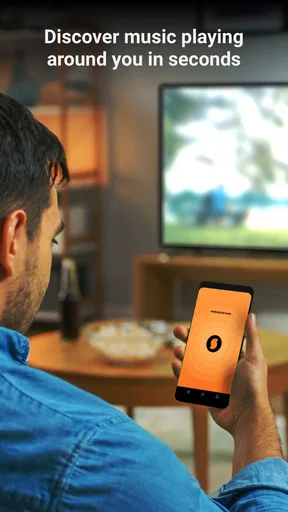
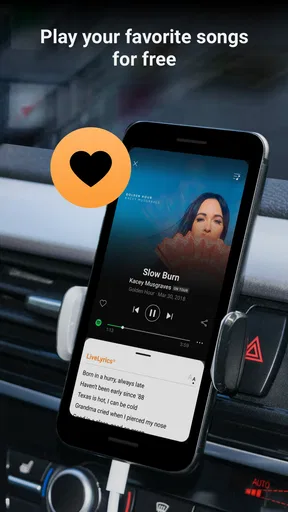


Our Review of SoundHound - Music Discovery
 Analysis by Appyee
The first time I use SoundHound, the appeal is immediate: a song catches my ear, I open the app, and I can try to put a name to it before the moment passes. That quick discovery loop is fun, but the more useful question is whether it still earns a place on my phone after the novelty wears off. For me, its lasting value depends on how often I encounter unfamiliar music—and whether I enjoy following a recognition result into a bigger listening session.
A good fit for curious listeners, not every listener
SoundHound is a free music and audio app from SoundHound Inc., with optional in-app purchases. It suits people who regularly hear music in cafés, shops, cars, or shows and want a simple route from a passing tune to more information. It can also help when a melody is stuck in your head but the title is not: being able to sing or hum a song gives it a useful edge over identification tools that depend only on playing the original recording nearby.
That strength is situational, not magic. A clear recording in a quiet room gives recognition a better chance than a distant song buried under conversation. Humming is also an imperfect test: if I remember the rhythm but not the pitch or phrasing, I may need a few tries. I treat a result as a lead to check, especially when a familiar-sounding melody could belong to several songs.
From passing song to a useful listening habit
A practical routine is to identify a track when it first catches my attention, check the artist and lyrics while the result is fresh, then decide whether it deserves a place in a playlist. That last step matters. Saving every passing discovery can make a listening library noisy, so I prefer to use recognition as a filter: keep the songs I want to hear again, and let the rest remain a pleasant one-off find.
For example, imagine hearing an unfamiliar track while waiting for a friend at a café. I can try to identify it before the music changes, then look up the artist later when I have time to listen properly. If the app’s connected listening options fit my setup, I can move from finding the song to playing or saving it without rebuilding the search from scratch. If not, the result can still serve as a useful name to look up in my usual player.
Where it sits beside other music tools
Compared with a streaming app’s own search, SoundHound is most useful when I do not know what to type. A streaming service is usually the better place to manage a library, choose albums, and keep everyday playback organized; SoundHound’s distinctive job is helping turn a sound—or a remembered melody—into a likely track. Those roles complement each other, but they are not identical, and I would not replace a dedicated music player with a discovery app.
It also helps to think about the listening environment. When I can play a clean snippet of the song, a recognition app has something concrete to work with. When I only remember a tune, humming gives me another route, though it may take patience. When I already know the artist or a lyric, ordinary search in a music service can be faster. The best choice depends on what I know at that moment, rather than on one app winning every kind of music search.
Discovering Music Made Easy
If you’ve ever found yourself desperately humming a tune you can’t quite name or trying to recall the lyrics of a song that’s teasing the edge of your memory, SoundHound might just become your new best friend. I recently took this app for a spin and, let me tell you, it feels like having a musically savvy friend in your pocket.
One of the standout features of SoundHound is its music recognition capability. You know those moments when you hear a song in a coffee shop or during a TV show, and you’re scrambling to remember it later? Just whip out your phone, open the app, and hit the "orange button" to start identifying the track. It’s wickedly fast, and it even works with songs you sing or hum yourself. Yes, even if you’re no Ariana Grande.
The app doesn’t stop at just identifying the track, though. It gives you a deep dive into the artist’s discography, lyrics, and even music videos. It’s like having a backstage pass to every song you hear. The lyric integration is particularly cool for those who love to sing along—or better yet, win karaoke nights.
Seamless Integration with Streaming Services
Another great thing about SoundHound is how it plays nice with other music streaming services. Found a song you love? You can easily add it to your playlists on Spotify or Apple Music directly from the app. This feature is a game-changer for music lovers who want to keep their discovered gems in one place. No more switching between apps and losing track of that catchy tune.
The app also supports voice-activated commands. You can just say, "Hey SoundHound, play me top tracks by The Beatles," and it’ll get right on it. It’s like having your personal DJ, ready to go whenever the mood strikes.
Exploring the SoundHound Community
SoundHound’s community feature lets you see what other users are discovering in real-time. If you’re curious about what’s trending or want to find new genres to explore, this is a fantastic way to broaden your musical horizons. It’s like tapping into a global playlist curated by music enthusiasts from all corners of the world.
Plus, the app has a delightful social aspect. You can share your latest discoveries on social media or follow your friends to see what they’re listening to. It turns music discovery into a shared experience, which I find pretty neat.
Interface and User Experience
The user interface is sleek and intuitive. Even if you’re a first-timer, you’ll find navigating through the app a breeze. The main screen is uncluttered, with the music recognition button front and center, ensuring you never miss a beat. From there, diving into lyrics, videos, or artist info feels natural and streamlined.
One minor hiccup I encountered was with the offline capabilities. While the app excels when connected to the internet, its offline functionality is somewhat limited. So if you’re planning a trip to the mountains, you might want to download your essential tracks beforehand.
What keeps it useful after the first week
Once the initial excitement settles, I find SoundHound most valuable as a small, occasional utility rather than an app I need to open every day. Its usefulness rises and falls with the music I run into. Someone who spends time in places with unfamiliar background music may reach for it often; someone who mostly listens to a familiar library at home may go weeks without needing it. That is not a flaw so much as the nature of a tool built around discovery.
The app has a 3.7 average from around 919,000 ratings, and it has passed 100 million installs. Those figures suggest that it has reached a large audience, but I would not read popularity as a promise that every recognition attempt will work perfectly. The more sensible test is whether the app solves your own recurring problem: catching song names when you cannot search by title, artist, or lyric.
Small habits that make discovery pay off
I get more from a recognition app when I decide what to do with a result right away. If I only identify the song and close the screen, I can easily forget it. Checking the artist, saving a promising track through a connected service, or sharing it with a friend gives the discovery somewhere to go. For a listener who likes exploring albums, the artist information can be a starting point for a later session rather than a reason to keep browsing on the spot.
There is also a practical trade-off between using the app in the moment and waiting until later. If a song is about to end, opening the app quickly is the sensible move. If I am driving or otherwise occupied, trying to handle a phone is not worth the distraction; I wait until I can use it safely or rely on a voice-controlled option where it is appropriate. Discovery should not take priority over attention to the road or the people around me.
What to expect from recognition and playback
People often wonder whether they need the original recording for the app to be useful. No: the ability to sing or hum gives SoundHound another way to search, which is especially handy when a melody is all I can recall. But I still regard that as an alternative input, not a guarantee. If one attempt fails, I try again with a steadier phrase or use a section of the melody I remember more clearly; if I know a lyric, searching that phrase in my regular music service may be the quicker route.
It is equally important to separate identification from listening. SoundHound can guide me toward a track and connect with music services, but it is not a substitute for the playback controls and library tools I rely on in a dedicated streaming app. Those services are better for settled routines such as choosing an album for a commute or managing a large collection. SoundHound earns its space before that point, when I need help turning a sound into something I can find again.
Where the experience can lose momentum
The main source of fatigue is not a complicated setup; it is having little reason to return. If I rarely hear unfamiliar music, recognition, lyrics, and artist pages may feel like features waiting for a situation that never arrives. Community discovery can add another path for browsing, but it is most appealing to someone who enjoys seeing what other listeners are finding. If I only want a quiet, reliable way to play songs I already know, that social layer may not change my routine.
There can also be friction when a discovery leads into several different destinations. A result may prompt me to inspect lyrics, explore the artist, open a video, or move to a streaming service. That breadth is useful when I am curious, but it can turn a quick identification into a chain of taps. I avoid that by picking one next step—save it, learn the artist, or move on—rather than treating every result as an invitation to browse everything.
Who should keep it, and who can skip it
I would recommend SoundHound to curious listeners who often ask, “What is this song?” and to people who remember tunes better than titles. It is also a reasonable companion for anyone who likes finding music socially or following a newly identified artist beyond a single track. Teen is its content rating, and the app is free to start, with in-app purchases ranging from $0.99 to $5.99 per item; I would check the purchase details in the app before spending, rather than assuming every feature or option is included at no cost.
I would be less inclined to recommend it to someone who already has an identification tool they use comfortably, seldom encounters unknown songs, or wants one app to handle all music playback and library organization. In those cases, a familiar streaming app—or simply searching by a lyric in that service—may be enough. SoundHound makes more sense as a specialist that sits alongside a player, not as a replacement for every music app on a phone.
Wrapping It Up
Overall, SoundHound is a must-have app for anyone who loves music. Its comprehensive features make discovering and enjoying music effortlessly fun. Whether you’re a casual listener or a hardcore audiophile, this app will likely find a spot on your home screen. The ability to recognize and explore songs in such an interactive and user-friendly way is something that keeps me coming back for more.
If you’re ready to dive into a world of music discovery, you might want to give SoundHound a try. It’s like having a musical encyclopedia right in your pocket, always ready to satisfy your sonic curiosities. And really, who wouldn’t want that?
Keeping it installed over time
For me, SoundHound earns a lasting spot when I treat it as a quick reference, not a permanent destination. I can leave it installed for the moments when a melody is unfamiliar, then return to my usual player for the longer listening session. That division keeps its purpose clear and avoids expecting a discovery app to do the work of a complete music library.
The current version is 10.5.6 and it requires Android 8.0 or later. If your phone meets that requirement, the decision is less about whether the app can fill every music need and more about whether you encounter enough songs worth identifying. My verdict is positive for the right listener: SoundHound makes the gap between hearing a tune and finding it smaller, but its recurring value comes from your curiosity, not from constant use.
Verdict
Strengths of SoundHound - Music Discovery
- Fast music recognition even in noisy environments.
- Includes live lyrics for a karaoke experience.
- Voice control feature for hands-free use.
- Detailed artist info and song history accessible.
- Integrates with Spotify and Apple Music seamlessly.
Limitations of SoundHound - Music Discovery
- Ads can be intrusive in the free version.
- Requires internet for full functionality.
- Voice commands can be hit or miss.
- Limited offline features compared to competitors.
- Frequent updates may cause occasional bugs.
Similar Picks in This Category
View All
YouTube Music
Google LLC4.4

Samsung Music
Samsung Electronics Co., Ltd.3.8

Spotify: Music and Podcasts
Spotify AB4.3

JioSaavn - Music & Podcasts
Saavn Media Limited4.3

Lark Player:Music Player & MP3
Lark Player Studio - Music, MP3 & Video Player4.6

StarMaker: Sing Karaoke Songs
SKYWORK AI PTE. LTD.4.3
Frequently Asked Questions
What is SoundHound and how does it work?
SoundHound is a music discovery app that allows users to identify songs playing around them using advanced sound recognition technology. Simply tap the SoundHound button, and the app will listen to the music, quickly providing you with the song title, artist, album, and lyrics. It also offers music streaming and playlist creation features.
Can SoundHound identify songs without an internet connection?
SoundHound requires an internet connection to access its database and identify songs. While offline, you can still record a snippet of the music, and the app will identify it once you’re back online. This feature is helpful if you’re in an area with limited connectivity but want to ensure you don't miss a song.
Is SoundHound free to use, or is there a premium version?
SoundHound offers a free version with basic features like song identification and lyrics. However, there is also a premium version called SoundHound Infinity, which is ad-free and includes additional features like offline lyrics access and improved audio quality. Users can choose based on their needs and preferences.
Does SoundHound integrate with other music streaming services?
Yes, SoundHound integrates with several popular music streaming services, including Spotify, Apple Music, and YouTube. Once a song is identified, you can easily add it to your playlists on these platforms or stream it directly, making it a convenient hub for managing your music preferences.
What devices are compatible with SoundHound?
SoundHound is available on both Android and iOS devices, including smartphones and tablets. It requires Android 5.0 or later and iOS 12.0 or later to function properly. The app is designed to be user-friendly across different devices, ensuring a seamless music discovery experience for all users.
